
Can An Apple Watch Connect To Android

Ever found yourself admiring a sleek Apple Watch on a friend’s wrist, only to sigh because you’re firmly in the Android camp? It’s a common conundrum! The world of tech often feels like a friendly rivalry between Apple and Android, and for a long time, it seemed like their ecosystems were in separate universes. But in the digital age, where connectivity is king, the question on many minds is: can an Apple Watch actually connect to an Android phone? It’s a topic that sparks curiosity, fuels debate, and for many, holds the key to unlocking a whole new level of smartwatch convenience without abandoning their beloved Android device. Let's dive into this fascinating intersection of two tech giants and see what’s possible.
The Dream of Cross-Platform Compatibility
The desire for devices to play nicely together is understandable. We invest in our smartphones, and the idea of expanding their capabilities with a smartwatch is incredibly appealing. For Android users, the Apple Watch represents a pinnacle of smartwatch design, functionality, and integration. It’s renowned for its intuitive interface, comprehensive health and fitness tracking, seamless notifications, and a vibrant app ecosystem. So, when that Apple Watch catches your eye, the immediate thought is, "Could this work with my Samsung, Google Pixel, or any other Android phone?" The short answer, and the one that often leads to a bit of head-scratching, is a resounding… no, not directly.
Unlike some other smartwatch brands that pride themselves on broad compatibility, Apple’s ecosystem is famously closed. This means that to get the full, intended experience of an Apple Watch, you absolutely need an iPhone. The watchOS operating system, developed by Apple, is deeply intertwined with iOS, the operating system for iPhones. This integration allows for features like seamless setup, advanced health data synchronization with the Health app on your iPhone, deep app integration, and reliable connectivity. When you pair an Apple Watch with an iPhone, you unlock its full potential, from making calls and sending texts to using a vast array of third-party apps and enjoying features like Apple Pay and Fall Detection.
So, if you’re an Android user, the dream of simply pairing your Apple Watch with your phone and having everything work perfectly is, unfortunately, a non-starter. Apple’s design philosophy prioritizes a unified experience within its own product lines. This is a deliberate choice, fostering a loyal customer base and ensuring a high level of performance and usability for those who commit to the Apple ecosystem. For example, the initial setup of an Apple Watch requires an iPhone, and many of its core functionalities, such as setting up cellular plans or managing app installations, are exclusively handled through the Watch app on iOS.
Why the Limitation? It’s All About the Ecosystem!
The primary reason for this exclusivity is the intricate way Apple Watch and iPhones are designed to work together. Think of it like a finely tuned orchestra; each instrument (iPhone, Apple Watch, iPad) plays a specific part, and they’re all directed by the same conductor (Apple’s software and services). The Watch app on iOS is the central hub for managing your Apple Watch, and it’s not available on Android devices. This app is crucial for everything from customizing watch faces and downloading new apps to adjusting settings and reviewing your health data. Without it, the Apple Watch simply wouldn't know how to communicate effectively with an Android phone, let alone offer a seamless user experience.
Furthermore, many of the advanced features on the Apple Watch rely on services and technologies that are native to Apple’s platform. For instance, things like iMessage integration, Siri commands that leverage your iPhone’s processing power, and even certain health metrics that are analyzed and displayed in the Health app are all part of this integrated experience. Trying to replicate this level of synergy with a completely different operating system like Android would be an immense technical challenge, and likely one that Apple isn’t interested in pursuing, given its focus on its own ecosystem.
However, the story doesn't entirely end here for the curious Android user. While a direct, full-featured connection isn't possible, there are always workarounds and alternative paths in the tech world, though they often come with significant compromises. For those who are determined to have an Apple Watch and are using an Android phone, the only real "connection" would be to acquire an iPhone as well. This allows you to experience the Apple Watch as it was intended. But if the goal is strictly to use an Apple Watch with an Android phone, the functionality will be extremely limited, if it works at all. Some basic notifications might be pushed through via Bluetooth if you manage to get a tenuous initial pairing (which itself is a hurdle), but it’s far from a smooth or functional experience. You won’t be able to install apps, track workouts comprehensively, or use most of the smart features that make the Apple Watch so desirable. It’s akin to having a beautiful, high-tech car that can only drive on a very specific type of road.
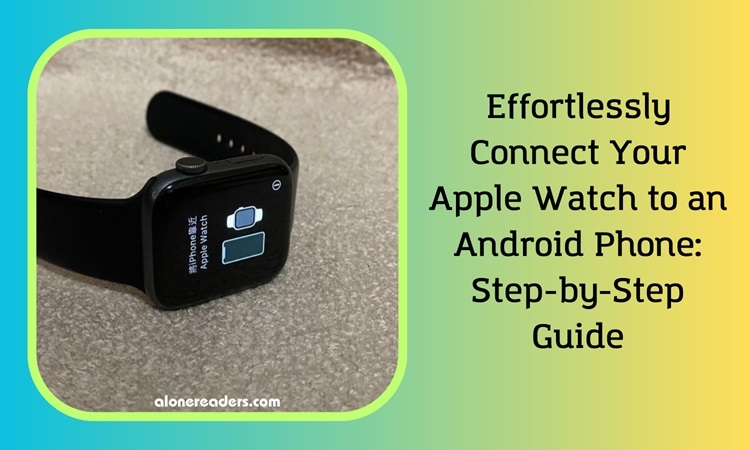
The conclusion for most Android users is that if you want an Apple Watch, you’ll need an iPhone. Conversely, if you’re committed to your Android phone, there are fantastic Android-compatible smartwatches available from brands like Samsung (Galaxy Watch series), Google (Pixel Watch), Fitbit, and Garmin, which offer a rich and integrated experience with your Android device. These alternatives are designed from the ground up to work seamlessly with Android, providing similar functionalities and often excelling in specific areas like battery life or advanced sports tracking.
So, while the direct answer to "Can an Apple Watch connect to Android?" is a simple and firm "no," understanding why is key. It’s a testament to the power and intentionality of Apple's ecosystem design. For Android users, it's a clear signal to explore the vibrant world of Android-compatible smartwatches, where true connectivity and a delightful user experience await!